
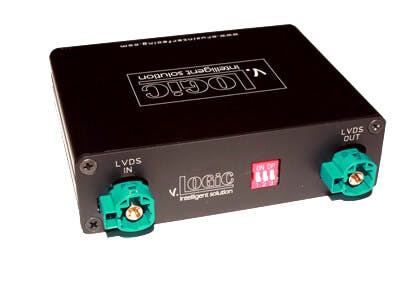
VRFBM 77C
[stm_icon_button align=”right” link=”url:http%3A%2F%2Fcruxinterfacing.com%2Fwp-content%2Fuploads%2F2017%2F10%2FV5-NBT-N_2.0.2.bin|title:DOWNLOAD%20FIRMWARE||” box_bg_color=”#ffffff” box_text_color=”#0a0a0a” css=”.vc_custom_1517244884828{margin-top: -40px !important;margin-bottom: 10px !important;}”]
[stm_icon_button align=”right” link=”url:http%3A%2F%2Fcruxinterfacing.comflasher%2Fsetup.exe|title:CRUX-Flasher” css=”.vc_custom_1650908083849{margin-top: 30px !important;}”]

VRFBM-77C

Installation Instructions

  • Download the latest firmware.
  • Open CRUX-Flasher.
  • Connect interface to PC, once loaded click “List Devices”
    • Interface Product ID will show up in display window.
  • Click “Browse” and select firmware BIN file.
  • Click “Flash”, wait for “update successful”.
  • Click “Exit and disconnect interface module.

CRUX-Flasher Installation Instructions.

  • Download CRUX-Flasher.
  • Click “lch stimme zu”.
  • Double-click “setup.exe”.
  • Click “Install”.
  • CRUX-Flasher will open.


*Only Compatible with Windows.

Detailed Installation Instructions.